
Download PhotoSort – Duplicate Photo Detection, Photo Management, Hard Drive Space, Organize Photos, Remove Duplicates, Photo Cleanup
Overview
PhotoSort is a dedicated mobile utility designed to help users identify and manage duplicate images stored on their devices. With the increasing volume of digital photos captured daily, maintaining an organized and efficient photo library has become a growing challenge. PhotoSort addresses this issue by scanning local storage for duplicate images and providing tools to streamline their removal. The app is particularly useful for individuals with large photo collections who seek to reclaim valuable hard drive space and reduce clutter.
By focusing on duplicate photo detection, PhotoSort offers a targeted solution for users overwhelmed by redundant files. Whether photos are accidentally saved multiple times, imported from multiple sources, or synced across devices, this app helps maintain a clean and efficient media library. It is ideal for casual users, digital archivists, and anyone managing personal or professional photo collections on their smartphones or tablets.
Although the developer did not provide additional technical details about the app’s background or development history, its core functionality is clearly defined and purpose-built. The app’s release date in 2015 suggests it has been in use for several years, indicating a stable and reliable tool for photo cleanup. Its presence in the productivity category underscores its role as a practical, utility-focused application within the mobile ecosystem.
Key Features & Functionality
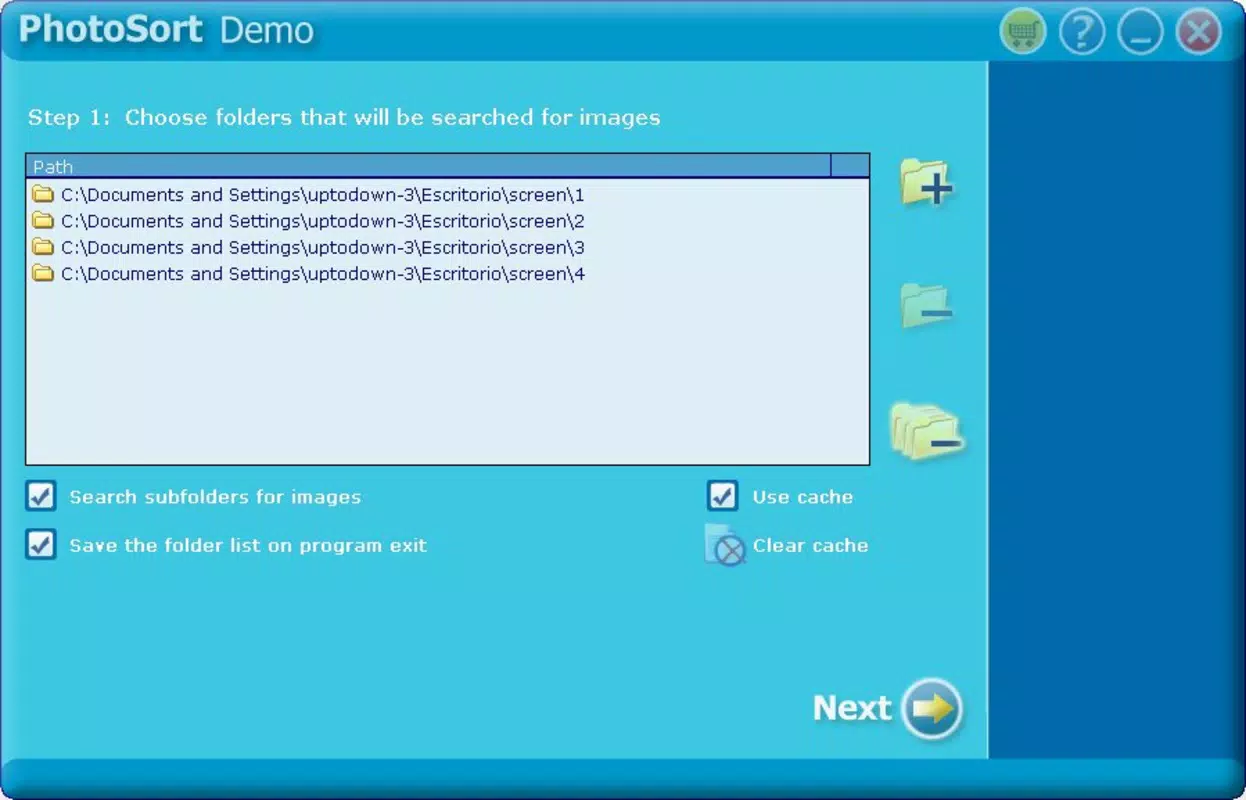
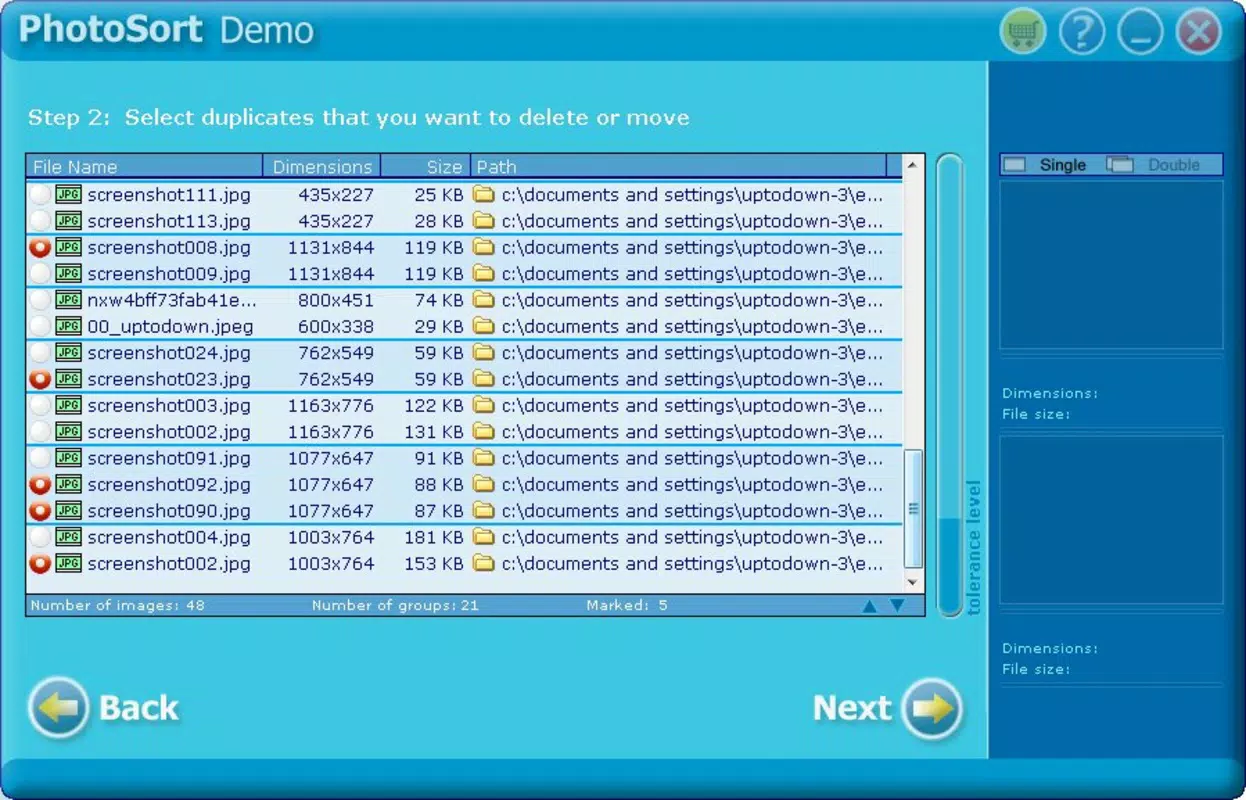
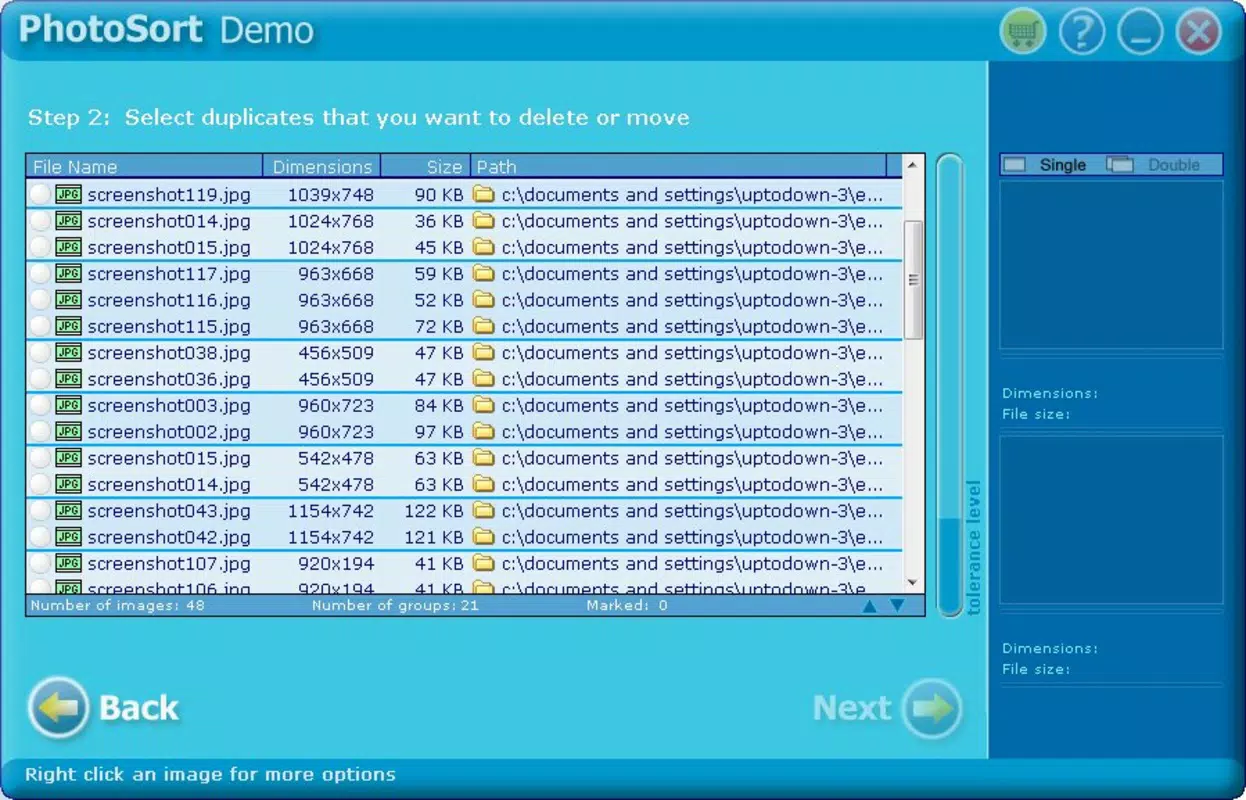
- Duplicate Photo Detection: PhotoSort scans selected storage locations to identify identical or near-identical images based on visual content and metadata. This feature helps users locate exact duplicates across folders and drives.
- User-Friendly Interface: The app provides a simple, intuitive layout that allows users to initiate scans and review results without technical expertise. Navigation is straightforward, minimizing the learning curve for new users.
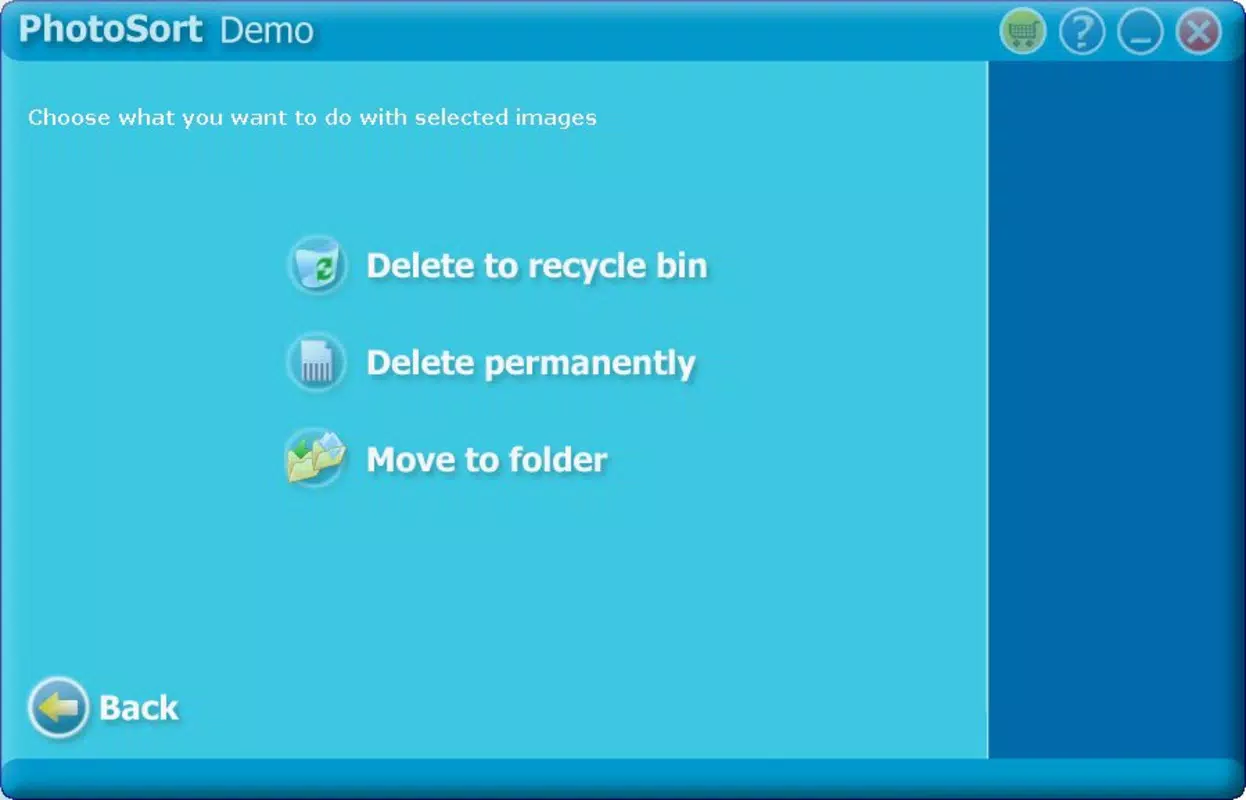
- Selective Deletion: After detection, users can review the list of duplicates and choose which files to remove. This ensures that only unwanted copies are deleted, preserving original or preferred versions.
- Space-Saving Solutions: By removing redundant files, PhotoSort helps users recover storage space that would otherwise be occupied by duplicate images, especially beneficial on devices with limited capacity.
- Organized Photo Management: Beyond cleanup, the app contributes to better photo organization by reducing redundancy, making it easier to locate and access desired images.
For example, a user who has transferred photos from a camera to multiple folders can use PhotoSort to scan the device and remove duplicates, ensuring only one copy remains. Similarly, individuals who sync photos across cloud services may find the app useful in identifying and eliminating redundant files created during the sync process.
Interface, UX & Performance
PhotoSort features a clean and minimal interface that prioritizes functionality over visual complexity. The layout is structured to guide users through the scanning and deletion process with clear on-screen prompts and logical navigation paths. Buttons for initiating scans, reviewing results, and confirming deletions are positioned for easy access, enhancing the overall user experience.
The app’s visual style is consistent with standard productivity tools—utilitarian and uncluttered—allowing users to focus on the task at hand. Navigation is linear and predictable, reducing the likelihood of user error during critical actions like file deletion.
Although the developer did not list formal performance metrics, the app’s lightweight size of 1.2 MB suggests it is optimized for efficient operation. It is expected to function smoothly on a range of Android devices, including older models with limited processing power. Responsiveness appears to be adequate, as the app completes scans and displays results in a timely manner based on device storage size.
Stability is a key consideration for file management tools. While no user reports or crash statistics were provided, the app’s long-standing presence since 2015 indicates consistent reliability. Users can expect minimal disruptions during operation, though performance may vary depending on the number of files and device specifications.
Platform Compatibility & Technical Requirements
PhotoSort is available on the Android platform. The current version is 1.0.1, with a file size of 1.2 MB, making it a lightweight application suitable for devices with constrained storage. The app is offered free of charge, which enhances its accessibility to a broad audience.
The developer did not specify minimum OS requirements or compatibility details for different Android versions. As such, users should ensure their device meets general Android system standards for app installation. Compatibility information was not fully disclosed, so installation may depend on the device’s software environment.
Pros and Cons
Pros
- Free to download and use, making it accessible to all users.
- Lightweight design (1.2 MB) ensures minimal impact on device storage.
- Intuitive interface suitable for users with no technical background.
- Efficient duplicate detection helps reclaim hard drive space.
- Selective deletion feature prevents accidental loss of important files.
Cons
- Specific technical requirements were not listed by the developer.
- Compatibility with older or newer Android versions is not confirmed.
- No cloud integration or backup features were mentioned.
- Limited functionality focused solely on duplicate removal.
- No update history or release notes were provided.
FAQ
Is PhotoSort safe to use for deleting photos?
Yes, PhotoSort is designed to allow selective deletion, meaning users review duplicates before removal. This reduces the risk of accidentally deleting important files. However, users are advised to back up critical photos before performing bulk operations.
Can I use PhotoSort on iOS devices?
Currently, PhotoSort is only available on Android. The developer has not released a version for iOS.
How often should I run a scan with PhotoSort?
It is recommended to run a scan periodically—such as every few months—especially after transferring large photo collections or syncing across devices. This helps maintain a clean and organized library.
Does PhotoSort require internet access?
No, PhotoSort operates offline. It scans local storage without requiring an internet connection, ensuring privacy and data security.
Can PhotoSort detect similar but not identical photos?
Based on its description, PhotoSort focuses on identifying exact or near-identical duplicates. The app may use image hashing or metadata comparison, though specific detection methods were not disclosed.
Final Thoughts
PhotoSort delivers a focused and practical solution for users seeking to manage their photo collections efficiently. Its ability to detect and remove duplicate images offers tangible benefits in terms of storage optimization and digital organization. While the app lacks advanced features like cloud backup or AI-based image recognition, its simplicity and low resource usage make it a reliable tool for basic photo cleanup.
For individuals managing large volumes of photos on Android devices, PhotoSort provides a straightforward way to reclaim space and maintain a tidy media library. Its free availability and minimal system demands enhance its appeal as a no-frills utility.
Download PhotoSort now


